Feeds and Speeds Explained for Small CNC Machines
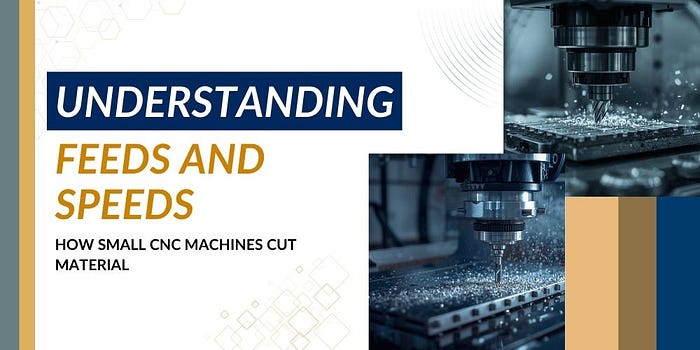
Small CNC machines are capable of extremely precise work, but results depend heavily on proper feeds and speeds. Many beginners focus on the machine or tooling first, yet cutting parameters often determine whether a project runs smoothly or fails with chatter, tool wear, or poor surface finish.
Understanding how feeds and speeds work helps machinists make better adjustments, extend tool life, and improve overall machining accuracy.
What Feeds and Speeds Actually Mean
Feeds and speeds describe how fast the cutting tool rotates and how quickly it moves through material.
Spindle speed refers to how fast the tool spins, measured in revolutions per minute. Feed rate describes how quickly the tool advances into the workpiece. Chip load represents the thickness of material each cutting edge removes during rotation.
When these three factors work together correctly, cutting becomes stable and predictable. When they are incorrect, the tool may rub instead of cut, overheat, or produce rough finishes.
Many small machine users assume slower settings are always safer. In reality, running too slowly can cause just as many problems as running too fast.
Why Small CNC Machines Require Balanced Settings
Desktop and micro CNC machines operate differently from large industrial equipment. They typically have lower spindle power and lighter frames, which means cutting parameters must be balanced carefully.
If the feed rate is too aggressive, the machine may vibrate or lose accuracy. If the spindle speed is too high without proper feed, the tool can dull quickly from excess heat.
Correct settings allow the cutter to remove material efficiently while maintaining machine stability. This balance is especially important when working with aluminum, brass, plastics, or mild steel on compact machines.
The Role of Chip Load in Machining Performance
Chip load is often the most overlooked part of feeds and speeds. It determines how much material each flute removes as the tool rotates.
If the chip load is too low, the tool rubs instead of cutting cleanly. This generates heat and accelerates tool wear. If the chip load is too high, the cutting edges may overload and cause chatter or breakage.
Maintaining a consistent chip load helps produce smoother surfaces and more predictable results, especially when working with micro milling machines. It also allows the cutter to evacuate chips properly, which is critical for small-diameter tools.
Common Mistakes Beginners Make
Many machining problems come from a few common setup mistakes.
One frequent issue is choosing spindle speed based only on guesswork. Materials, cutter diameter, and tool coating all affect the correct range.
Another mistake is reducing the feed rate too much out of caution. While this feels safer, it often causes rubbing and overheating.
A tool sticking out can also affect cutting stability. A longer tool extension increases the risk of vibration, so feeds and speeds must sometimes be adjusted to compensate.
Chip evacuation is another factor. Packed chips trap heat and can damage both the tool and the workpiece.
Understanding these interactions helps machinists troubleshoot problems quickly.
Material Differences Matter
Every material responds differently to cutting forces.
Aluminum usually allows higher spindle speeds and faster feed rates because it cuts easily and dissipates heat relatively well.
Brass machines smoothly and is often forgiving, which makes it a good material for learning setup adjustments.
Steel requires more conservative parameters. Cutting forces are higher, and improper speeds can wear tools rapidly.
Plastics behave differently again. Some melt under excessive heat, which means proper chip load and tool sharpness are important.
Adjusting feeds and speeds based on material type is a fundamental machining skill when working with different CNC milling materials.
Tooling Also Changes the Equation
The cutting tool itself plays a major role in determining proper settings.
Carbide tools can typically run at higher speeds than high-speed steel. Coated tools handle heat differently from uncoated tools. The number of flutes affects chip evacuation and feed calculations.
For example, two flute end mills are commonly used for aluminum because they clear chips efficiently. Tools with more flutes are often used for harder materials where slower feed rates are necessary.
Understanding how tooling interacts with machine capability helps produce consistent results across different lathe and milling machine setups.
Improving Results Through Practice
Feeds and speeds are rarely perfect on the first attempt. Even experienced machinists make small adjustments based on sound, chip shape, and surface finish.
Observing the cut is one of the best learning tools. Smooth chips, stable sound, and minimal vibration usually indicate the setup is close to correct.
Over time, machinists develop an intuition for how their specific machine behaves while working on different mill and lathe projects. This experience allows faster setup and more reliable machining performance.
Final Thoughts
Feeds and speeds are fundamental to successful CNC machining, especially on smaller machines where precision and stability matter. Learning how spindle speed, feed rate, and chip load interact makes it easier to avoid common mistakes and produce clean, accurate parts.
If you want to explore the topic in more depth, the resources and machining guides available from Taig Tools provide helpful insights for beginners and experienced machinists alike.
Original Published: Feeds and Speeds for Small CNC Machines


Comments
Post a Comment